
Instant Camera Troubleshooting That Saves Your Shot
A fresh instant print is supposed to feel effortless: frame the moment, press the shutter, wait for the image to arrive. When the camera whirs but nothing happens, or a once-perfect shot emerges pale, blue, or completely blank, the mood changes quickly. Instant camera troubleshooting that saves your shot starts with a few safe checks: confirm the film pack is the right type and still in good condition, make sure the battery has enough charge, avoid forcing any stuck part, and gently clean the rollers to improve print quality without causing extra damage.
This guide is for instant camera users who want reliable prints without risking their camera or wasting film, especially design-conscious, everyday shooters who care about keeping spontaneous moments. It walks through film handling and storage, power issues, motor and shutter faults, print jams, exposure and focus problems, proper print development, and the care habits that keep both camera and film working as they should. Because instant photography depends on delicate film chemistry and small mechanical parts, knowing how to troubleshoot early can prevent costly damage, reduce wasted shots, and help you preserve the moments you meant to keep.
Start With the Instant Film, Not the Camera
Most apparent camera faults begin with film handling. With classic Polaroid-style instant cameras, the battery is often built into the film pack rather than the camera body. If the camera will not power on, a fresh, compatible film pack may be the answer. That also means an expired or poorly stored pack can create problems that look like a camera failure.
Check the film type against the model before loading it. Similar-looking formats are not interchangeable. When you insert a film cartridge, align the yellow stripe on the film cartridge with the camera. A camera designed for one format will not reliably accept another, and trying to make it fit can damage the film compartment. For cameras that use a rechargeable internal battery, confirm the battery is charged with the appropriate cable and give it enough time to recover before assuming the camera is defective.
If a newly loaded pack will not eject its dark slide, switch the camera off and on once, then make sure the battery is charged. Do not open the film door or back cover to inspect the pack, because opening the camera back resets the film exposure counter. Opening it exposes the remaining sheets to light, which can fog the film, and a reset film exposure counter can make shot tracking inaccurate after the back is opened. If the dark slide still will not eject after a full charge or a fresh compatible pack, the issue may be with the camera's motor or rollers.
Film Pack Storage Changes the Result
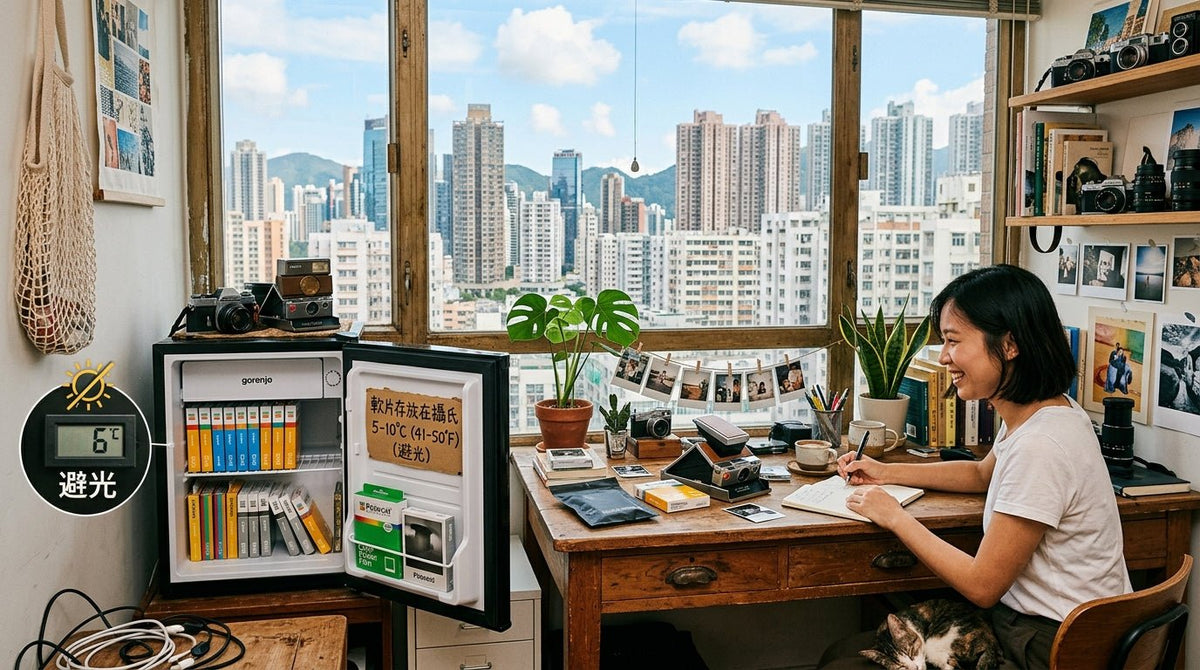
Film is not an accessory you can leave in a hot car, sunny windowsill, or freezing garage and expect perfect results from later. Heat can mute color and reduce contrast. Extreme cold slows chemical development and may make prints look underdeveloped until they warm up. Store unopened packs in a cool, dry place away from air, moisture, and light, and let cold film return to room temperature before shooting so the film chemicals stay stable and prints develop as normal.
Expired film can still produce interesting images, but it is a creative gamble, not a reliability choice. Expect less predictable color, uneven development, or reduced sensitivity. If you need a camera to perform at a party, on a trip, or for a gift-worthy moment, use fresh film.
When Your Instax Camera Will Not Turn On
A camera that appears dead calls for a short, methodical check. On many instant cameras, flashing lights often indicate a battery error. First, charge it fully if it has an internal rechargeable battery. Try another cable and power source if the charging indicator does not appear. USB cables can look identical while supporting very different charging performance.
For film-powered models, install a fresh, compatible film pack. If there is already a pack inside, do not remove it just to test power. Instead, check that the film door is fully closed and latched. For instax and similar models that use replaceable cells, alkaline batteries are usually recommended for more stable performance. If the camera shows flashing lights or unreliable power behavior, switch to fresh alkaline batteries. A door that is slightly open can interrupt the electrical connection between the pack and camera.
Cold weather is another quiet culprit. Batteries and film chemistry both lose efficiency in low temperatures. Bring the camera indoors, let it reach room temperature, and try again. If it remains unresponsive after these checks, stop cycling switches or repeatedly pressing the shutter. That behavior rarely fixes an electrical fault and can complicate a warranty assessment.
The Shutter Fires, but No Print Comes Out
If you hear the shutter or motor but the print does not emerge, resist the urge to pull at the film. That is the fastest route to torn film, scratched rollers, and a jam that becomes permanent.
Place the camera on a stable surface. Check whether a sheet is visibly caught at the ejection slot. If it is only partly out, do not tug it. Turn the camera off if the model allows, consult the camera's specific instructions, and seek authorized service when the sheet cannot release normally. The right next step depends on the mechanism, and improvising with tweezers or tools is rarely worth the risk.
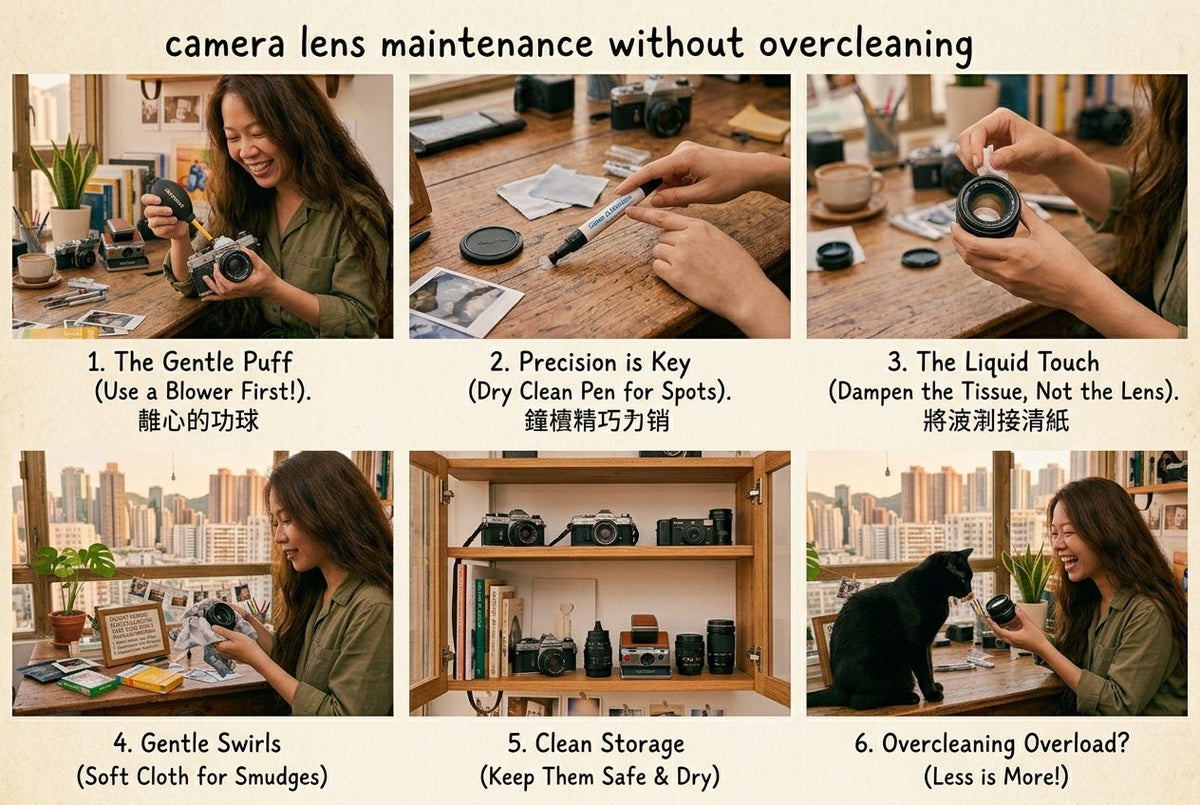
A jam can be caused by warped film, residue on the rollers, a weak battery, or a damaged pack; for example, if the camera ejects prints slowly or unevenly, roller cleaning may be relevant. If the camera ejects prints slowly or inconsistently, inspect the rollers only when there is no active sheet in the path. Clean them gently with a soft, lint-free cloth lightly dampened with water, then dry them completely, since cleaning the internal rollers can help prevent dark streaks and avoid jammed film doors. Avoid harsh cleaners, alcohol, and excessive moisture near the film compartment or printer components.
Blank, White, or Black Prints
A fully white print usually points to a serious exposure or ejection issue. It may happen when the film was exposed to light before the shot, when the shutter did not open as expected, or when the camera failed to fire, as some models like the Instax Mini 8 depend on a built-in flash to illuminate low-light scenes. A fully black print can indicate extreme overexposure, strong direct light, or a shutter problem that kept the film exposed too long.
Before blaming the camera, consider the conditions. Shooting directly into bright sun, mirrors, headlights, or a window can confuse a simple exposure system, and normal shots usually work best when your subject is about 2 to 9 feet away. Move your subject, shade the lens with your hand without blocking it, or choose softer light if you need more light. Instant cameras reward a little intention, especially when taking photos with an instax mini or another instax camera in scenes with bright highlights and deep shadows in the same frame. If your model has a dedicated close-up setting, ignoring it can create softness at short distances. For selfies, use Close-Up mode on an instax mini Liplay or similar model; selfie mode uses the selfie mirror for alignment, and the first shot is easier to frame well.
If several fresh-film shots are consistently blank or black in ordinary light, keep the failed prints and note the conditions. Change one variable at a time and experiment with different compositions to improve the final photo. They can be useful evidence if the camera needs warranty support. Bang On's focus on authorized brands matters here: official warranty coverage is far more useful when a product issue requires a clear next step.
Why Your Photos Are Too Dark, Too Bright, or Out of Focus
Instant photography has a distinct exposure character. It is not a phone camera with endless computational correction waiting behind the shutter. A dark room, a subject several feet away, and no flash are a recipe for a dim print. Conversely, a close subject with direct flash can look washed out.
Use flash when the camera recommends it, particularly indoors or near sunset. Then respect the camera's focus range. Many instant models have a minimum focusing distance, often around one to two feet depending on the design. Standing too close without a dedicated close-up mode creates softness that no amount of development time can fix.
For brighter outdoor scenes, avoid placing your subject with the sun directly behind them unless you want a silhouette. Turn them toward open shade or let the light fall across their face. If your camera has an exposure compensation control, make small adjustments one shot at a time. The beauty of instant film is its tactile unpredictability, but repeatable results come from changing one variable rather than five.
Development needs a little protection
Modern instant film should be shielded from intense light immediately after it ejects. Place the print face down on a table, in a pocket, or beneath the camera's film shield if your model has one. Do not shake it. Shaking does not speed development and can disrupt the internal chemical process, leaving marks or unevenness on some films as they develop.
Temperature affects the wait. A print developing in winter may need to rest somewhere gently warm, such as inside a jacket pocket. In summer, keep it out of direct sunlight. UV protection can reduce fading once prints are stored or displayed. Give the image time before deciding it has failed. Colors and contrast often settle gradually.
A Smarter Reset for Everyday Instant Camera Troubleshooting
When a camera misbehaves, isolate the issue in this order: power, film compatibility, film condition, loading, and shooting environment. This sequence prevents the most expensive mistake of opening a loaded camera or sacrificing a full pack before checking the basics. If faults continue, contact authorized service instead of repeatedly resetting the device.
Keep the lens clean with a microfiber cloth, protect the camera in a structured bag, and avoid storing it loose with keys or chargers. If your camera uses a built-in rechargeable battery, top it up before an event rather than trusting a partial charge from months ago. If it uses film-powered packs, carry one fresh spare in a cool place. With recurring quality issues, check that you are using authentic instax film and purchase replacements from authorized retailers; this also applies to models such as instax mini and instax mini evo.
A small amount of care preserves what makes instant photography worth carrying: a physical image with texture, color, and a story attached. One instax mini print measures 54 x 86 mm, and a compact format like that rewards careful handling and storage, especially if you want a frame-worthy cover image. Treat the camera as part of the ritual, not just the device that produces the print, and it will be ready when the moment is.