How to Photograph With Flash Without Flat Light
A flash can turn a dim restaurant, a late-night street, or a small apartment into a photograph worth keeping. The trick is learning how to photograph with flash without making every frame look like a security-camera still. Good flash photography is less about adding more light and more about deciding where that light should fall, how soft it should feel, and how much of the existing atmosphere you want to preserve.
Flash gets a bad reputation because direct, on-camera light is easy to spot: hard shadows, shiny skin, a bright subject against a black background. But that same directness can also look intentional - crisp, graphic, candid, and a little bit club-culture. There is no single correct flash look. There is only the look that suits the moment.
Start With Two Exposures: Flash and Ambient Light, Not One
Flash photography is a conversation between ambient light and flash light. Your camera settings control both, but not in the same way.
Your shutter speed mostly changes the ambient light in the scene. A slower shutter lets in more of the room, city glow, or sunset behind your subject, while a faster shutter gives you less ambient light and preserves less of the available light. Aperture and ISO affect both ambient light and flash exposure, while flash power primarily affects the brightness of the flash on your subject.
This is the foundational move: set your basic exposure by exposing the background first, then add flash for the person, object, or detail that matters. If you start by pointing a flash at your subject and leave the camera on automatic, the room often falls into darkness. That may be perfect for a bold party portrait. It is less convincing when the location is part of the story.
For a portrait at a dinner party, take a test shot with the flash off using the available light. Raise your ISO or slow your shutter until the room looks close to how you want it. Then turn on the flash at low power and adjust until your subject separates cleanly from the background, refining the overall exposure instead of overpowering the room.
Choose the Flash Look Before You Shoot
Before changing settings, decide whether you want the flash to disappear or announce itself. Both approaches have a place in a design-led photo diary.
Soft, natural-looking flash
For a polished portrait, bounce the flash off a white ceiling or wall for a softer look that blends better with natural light. Instead of a tiny light source pointed at someone's face, the entire ceiling becomes a broad, softer source. Turn the flash head toward the surface, not directly at the subject, and keep the subject reasonably close to that bounce surface.
White or neutral walls work best. A red brick wall, green paint, or warm wood ceiling will tint the light, sometimes beautifully, sometimes not, so check white balance if the bounce surface adds a color cast. There is a trade-off: bouncing creates flattering light but costs power. In a large dark venue or a room with high ceilings, direct flash or a small modifier may be more practical.
Direct flash with intention
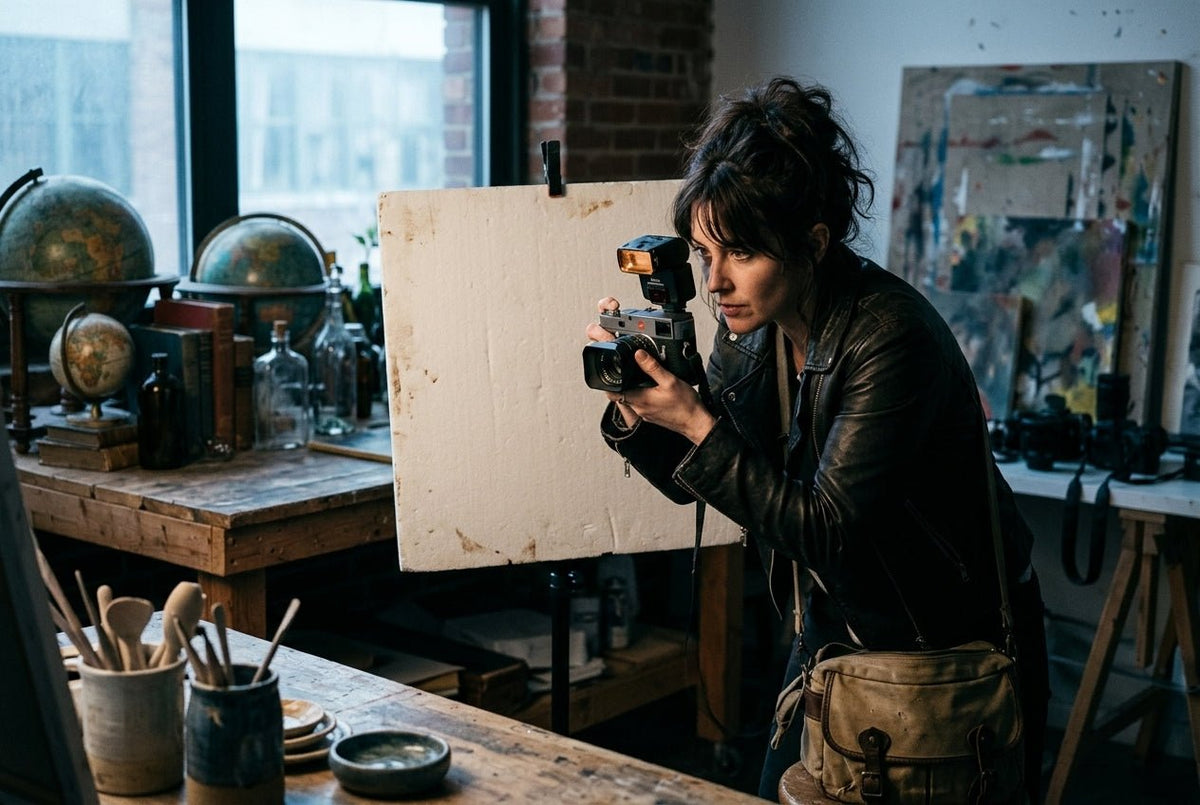
Direct flash works when an on-camera flash look feels deliberate. Keep the camera close to your subject, use a wider lens, and embrace the strong shadow rather than trying to hide it. This approach suits nightlife, candid portraits, street scenes, and fashion-forward snapshots where immediacy matters more than perfect softness, and it can still be used intentionally in bright sunlight or shade.
Avoid standing too far away. A small flash has limited reach, and distant direct flash tends to produce a bright face, dark room, and no sense of place; balancing it also gets harder when you have a bright background or a dark subject. Get closer, frame with purpose, and let the flash become part of the visual language.
Off-camera flash for shape
Move the flash off the camera when you want more dimension, especially if you want the flash to act as the main light and create more dramatic lighting. Even placing it a few feet to one side makes a major difference: one side of the face or product receives more light, and the shadows begin to describe shape.
For a simple setup, position the flash about 45 degrees from your subject at camera left and slightly above eye level. Start at low power, and in manual flash mode these small position and power changes are easier to control and repeat. If the shadows look too deep, bring the light closer or add a white card opposite the flash to bounce a little light back into them. Bigger-looking light sources create softer transitions, so an umbrella, softbox, or a flash fired through a diffuser gives a more refined result than a bare flash.
Settings, Including Shutter Speed, That Give You a Reliable Starting Point
Manual mode and manual flash mode give you the clearest control, especially once you begin mixing flash with room light and want repeatable setups. It also makes failures easier to diagnose. Start with a sensible baseline, then adjust one variable at a time.
For indoor portraits with some ambient light, try ISO 400 to 800, an aperture around f/2.8 to f/5.6, and a shutter speed between 1/60 and 1/200 second; in low light situations or dark situations, you may need a wider aperture closer to your lens’s maximum aperture. Set your flash to TTL if you need to work quickly, or use manual power for repeatable results when your distance and composition stay consistent.
These choices are not fixed rules. A fast aperture gives you more ambient light and a softer background, but at longer focal length settings it also makes focus less forgiving. Raising ISO preserves more of the environment and lets your flash recycle faster, but it may introduce visible grain and noise that you can often clean up later in post production. That grain can feel tactile and cinematic, particularly in night images, so do not treat it as an automatic flaw.
Keep your shutter speed at or below your camera's standard flash sync speed, commonly 1/200 or 1/250 second, unless your flash and camera support high-speed sync. Go beyond the sync speed without that feature and part of the frame may be blocked by a dark band.
If you expect to fine-tune flash-heavy files, shoot in RAW rather than jpeg format.
How to Do Flash Photography at Night
Night flash images look strongest when the background still has a pulse. In low light photography, the common mistake is using a fast shutter speed that turns every street, bar, and party into an empty black field; preserving some available light keeps the frame from going pretty dark.
Use a slow shutter speed like 1/30, 1/15, or even longer while using flash to freeze your subject at the end of the exposure. The ambient light records movement, while the flash gives the subject a sharp anchor. This creates the familiar blur-and-crisp effect seen in energetic event and street photography. A tripod or solid bracing helps avoid camera shake in these longer exposures.
Brace yourself, take a few frames, and expect variation. If your subject moves before the flash fires, the direction of the blur changes depending on whether your camera uses first-curtain or rear-curtain sync. Rear-curtain sync fires the flash at the end of the exposure, so the motion trail appears behind the subject. It is especially helpful with a moving subject when you want to keep the subject sharp. It usually reads more naturally for moving people, bikes, or passing cars. Take a few test shots so you can notice how blur direction and flash timing change the image.
Make the Subject Look Better, Not Just Brighter
Light direction matters more than raw power. When working with people, avoid aiming a bare flash straight into their face from very close range unless you want that stark, editorial snapshot. Angle it, bounce it, or soften it where the setting allows, since the goal is often fill light rather than full illumination when improving a face.
Watch reflective surfaces too. Glasses, glossy bags, watches, and polished camera bodies can catch a direct flash as a distracting white hotspot. Shift your own position or move the flash to one side until the reflection leaves the main surface, which helps capture cleaner detail and a more flattering image. For product details, a small change in angle often does more than changing the flash power.
For watches and accessories, use flash to reveal material rather than flatten it. Let one controlled highlight skim across metal, leather, or textured fabric. A clean reflection can communicate finish and form; a blown-out glare only communicates that the light was in the wrong place.
Use TTL and Manual Power for Different Jobs
TTL metering measures the scene and sets flash output automatically. It is useful when people are moving, your distance changes constantly, or you are shooting candidly with flash on camera. If the result is consistently too bright or too dark, use flash exposure compensation rather than changing every camera setting, and if exposure keeps shifting, switch from TTL to manual for more consistency.
Manual flash power is better when the subject, camera, and flash position remain stable. It is the choice for tabletop objects, portraits with a fixed setup, and any situation where you want every frame to match, especially when lighting conditions are not changing. Start around 1/32 or 1/16 power at close range and increase as needed. Lower power also means faster recycle times, which helps you catch unplanned and fleeting moments without waiting on recycle.
Instant Cameras Play by Their Own Rules
With an instant camera, the flash is often built into the experience rather than an accessory you control. In low light, stay close to your subject, generally within the camera's recommended range, and avoid placing them directly against a distant dark background. If shutter speeds drop, hold steady to avoid camera shake. The built-in flash will illuminate the person far more effectively than the room behind them.
Use nearby lamps, signage, or window light as available light to give the background some life before adding flash. A Polaroid frame can make an imperfect flash photo feel immediate and personal, but it still benefits from intentional distance and a clean composition. On many instant cameras, auto mode also handles white balance on its own, even though the built-in flash still dominates nearby subjects. The goal is analog joy, not accidental underexposure.
Flash is not there to erase the mood of a scene. It is there to direct attention. Start with the atmosphere you want to keep, add only enough light to make your subject feel present, and let a few shadows remain. They are often where the photograph gets its character.
Analog photography trends are shaping a more tactile, personal camera culture. See why instant film, compact cameras, and imperfect prints matter today.