Questions About Instant Printers, Answered
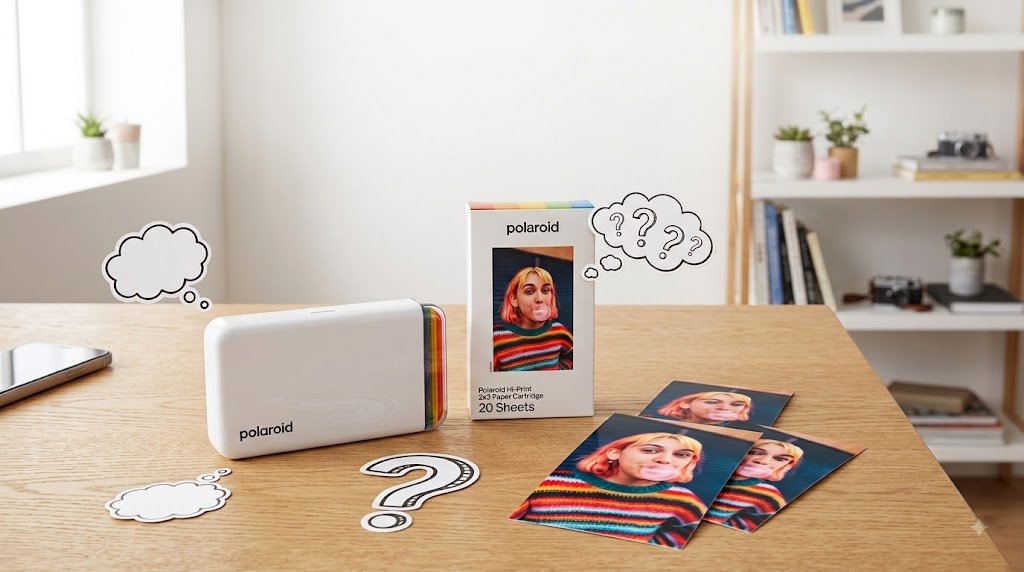
A photo on your phone is easy to take and even easier to lose in a camera roll. Instant printers are small, portable devices that connect to your smartphone so you can choose a digital image, make simple edits in an app, and turn it into a physical photo you can hand to someone, pin up, or slide into a journal. The most common questions about instant printers usually come down to whether that small print is worth the cost, effort, and desk-space commitment.
For creative people, gift buyers, and anyone building a more intentional visual life, the answer is often yes. The right printer depends on what it actually does well for you: print quality, film or paper cost, how the app works, how portable it is, and which format or style suits the way you shoot and share images. If you want your digital photos to become immediate, tangible keepsakes instead of staying on a screen, those details are what make an instant printer either a smart buy or an expensive novelty.
What does an instant printer actually do?
An instant printer is a portable photo printer or photo printer that turns photos from a smartphone into small physical prints, usually through a dedicated app and a wireless connection. Unlike an instant camera, it does not take the photograph itself. That distinction matters. You can edit, crop, choose from months of images, and print only the frames you genuinely want to keep.
That makes a printer especially appealing if your best images already live on your phone: a late-night dinner, a weekend train ride, a portrait that deserves more than a heart reaction, or a stack of photos from a trip. It brings a little analog joy to a very digital archive.
Most models are compact enough for a shelf, work desk, or travel bag. Some favor iconic instant-film character, while others are designed around adhesive-backed mini prints made with sticker paper and quick, graphic results. They are generally not meant for traditional documents. Neither is automatically better. The choice is about the object you want to make.
Are instant printer photos good image quality?
They can be, as long as you define quality correctly. An instant print is not meant to replace a large archival photo made by a professional photo lab. It is meant to be tactile, immediate, and shareable. Small scale is part of its appeal.
Print quality varies by technology. Dye-sublimation uses solid-state pigments and a protective overcoat, and the files feeding it still depend on the available bit depth and processing. Printers that use instant film produce the familiar soft color, gentle contrast, and occasionally unpredictable character associated with classic instant photography, and many people prefer Instax for its creamy, film-like quality. The image develops over time, with Instax prints taking about four to six minutes to fully develop, so the final result feels more like an artifact than a screen-perfect reproduction.
Other printers use dye-sublimation or zinc-based paper, with ZINK paper using embedded dye crystals activated by heat. These generally deliver cleaner detail, though color handling only improves up to a point on very small prints, along with more consistent color and less of the vintage-film effect. Dye-sublimation prints can be particularly polished for portraits and travel shots, with a sharper look, cleaner edges, fine detail, and long life that can last decades if stored properly, without the monochrome limitations or ribbon cartridges found in some other systems. Zinc prints are often smaller and more casual, and ZINK models are often lighter and faster but may have muted colors, sometimes with peel-and-stick backs that make them ideal for notebooks, phone cases, wall grids, and gifts. They can also show too much contrast or skewed colors, and may fade faster in UV light.
Your source photo still matters. A bright, well-exposed image will generally print better than a dim photo with heavy shadows, especially when you want to preserve fine details in small prints. Before printing, use the app's crop tool carefully and avoid piling on filters. Tiny prints do not reward over-editing.
Is instax mini film or paper expensive?
This is the practical question worth asking before you choose a format. The printer itself is only part of the cost. You will keep buying film or paper, and refill costs vary significantly depending on the material and on whether a model uses an ink cartridge or is ink free.
Instant film usually costs more per image, but it delivers the classic bordered print with the familiar white border look and chemical-development experience that many people specifically want. It suits selective printing: the photo you give to a friend, the portrait you keep on a mirror, the one frame from a trip that captures the mood.
Paper-based printers can be more economical for frequent printing, depending on the print size and refill type, and that can make a big difference if you print often. They make sense for scrapbooking, party tables, event favors, or building a regular visual diary. If you plan to print dozens of images every month, compare refill pricing before you fall for a particular colorway or form factor.
A useful rule: buy instant film for moments you want to make meaningful, and choose paper-based prints when volume and consistency matter more. Both can be a smart buy. They simply encourage different habits.
Do I need an app to use an instant printer?
Usually, yes. The app connects your phone to the printer through Bluetooth or, on some models, Wi Fi or another wireless method. It also gives you control over cropping, exposure, frames, collages, text, and other core features, including the main app features most people actually use.
Let’s talk about the app experience. It turns printing into a small editing session and lets you build layouts that feel personal rather than automatic. For others, it can feel like one extra step between a memory and a print. If you value immediacy, look for an app with a clean interface and a fast connection process, so it’s easy to connect and the overall experience feels reliable.
The best approach is not to treat every available template as mandatory. A simple, well-cropped image often feels more considered than a print crowded with stickers and type, since too many effects can soften fine output. Let the photo do its work.
Can I print photos from social media or a camera roll?
A camera roll is the main source for most users. Depending on the app and your permissions, you may also be able to access images stored in cloud albums or shared from other apps, though you may need to download the original file first. Save the original file when possible. Screenshots and heavily compressed images can look less crisp in print.
If you shoot with a dedicated camera, transfer the final images to your phone first, then print from there. This extra step can help preserve image context and file quality before printing. This is a strong workflow for photographers who want the flexibility of digital capture with a physical takeaway at the end.
How portable is a portable photo printer?
Most are made to move, and a portable printer is generally built for dinners, gallery openings, weekends away, or creative meetups. Many are small enough to bring along, though a compact printer sits at the smaller end of the category. Still, portable does not always mean pocketable. Film formats, batteries, and print trays shape the size of the device. Common compact print sizes are usually 2x3 inches or 4x6 inches.
Think about your intended setting. A compact mini printer is easy to pass around at a party, adding a fun social element to spontaneous prints. A larger printer may be better for home use, where a more substantial image format and refined output matter more than carrying it all day. Some models also let you insert specialty media for small crafts or practical tasks like shipping labels.
Portable printers usually print about 10 to 40 photos on a charge, depending on the rechargeable battery, print volume, temperature, and how often the printer is reconnecting to your phone. Charge it before an event, bring the correct refill pack, and do a test print before leaving home. Instant technology is more charming when it is prepared.
Which instant printer format fits my style?
Start with the print, not the device. If you love the recognizable square or rectangular instant-film border and want every image to feel singular, an instant-film printer is the natural choice. For many people, that familiar instax look is exactly the appeal. An instax mini link is a good example if you want that feel in a compact format, printing 2.1×3.4 inch images with Bluetooth. The Fujifilm Instax Mini Link 3 also prints vibrant images in 90 seconds. It has the strongest visual identity and makes a compelling gift for someone who values photography as an object.
If your style is more graphic, scrapbook-driven, or design-forward, adhesive mini prints may fit better. A canon ivy is a typical example of this style of printer, printing 2×3 borderless photos using ZINK paper. That paper is inkless and adhesive, which suits journals, invitations, and casual displays. The HP Sprocket 3×4 is another option here and uses inkless sticker paper for printing. A clean grid of small prints can transform a studio wall, home office, or work corner without feeling overly formal for one person.
For polished portraits, product shots, or travel photography, a larger dye-sublimation format may be worth considering. A canon selphy is a representative option in this category if you want a more finished result. The Canon SELPHY CP1500 prints high-quality 4x6 photos. You get more detail and a finished appearance that feels closer to a traditional photo print, while keeping the convenience of a compact device.
There is also the question of color and silhouette. An instant printer often lives in view, not hidden in a drawer, and many shoppers already know whether they are drawn to the Fujifilm or Canon world. Choose one that feels at home among the objects you already care about: your camera, desk accessories, books, and everyday carry.
Questions about instant printers before buying
Before committing, ask yourself how often you will print, what size image you want to hold, and whether you prefer film character or consistent color. Then look at refill availability, including whether it uses Instax Mini film or another proprietary supply, app compatibility with your phone, and charging method; for example, the Canon Selphy CP1500 prints high-quality 4x6-inch images and can also print from a computer via USB. If a feature is called out in the product page, read the fine print before you comment or get in line to buy, since terms like past participle have nothing to do with actual print performance. A well-designed device is only a good purchase if its consumables and workflow fit your life.
Authenticity matters here, too. Buying from an authorized retailer means the product comes through official channels with the warranty coverage intended by the brand, which matters for a small device with moving parts. That is especially reassuring for a device that combines hardware, batteries, apps, and proprietary film or paper.
An instant printer is not a replacement for every photo tool. It is a way to be more selective with your images and preserve memories. Print the frame that earns a place on your wall, in a letter, or in someone else's hand. The best first print is rarely the most perfect one. It is the one you will be glad exists outside your phone, whether you keep it close or post it somewhere visible.
Finally, creative lifestyle accessories bring personality to the everyday. Learn how to choose watches, bags, and cameras with lasting design value for real life.