Polaroid Hi Print Review: Is It Worth Buying?
If you’re wondering in this Polaroid Hi Print review whether it’s worth buying, the short answer is yes—if you want polished 2 x 3-inch prints with strong color, a peel-off adhesive back, and an easy way to turn phone photos into physical keepsakes on the spot; less so if low running cost matters most. A camera-roll photo can disappear beneath a hundred newer images by next week. The Polaroid Hi-Print gives selected moments a more permanent role: a glossy, card-sized print that can live on a desk, inside a journal, or on the wall beside your workspace.
This Polaroid Hi Print review is for people who want more than a novelty printer: urban creatives, casual photographers, journal keepers, the friend who makes a trip scrapbook before the group chat goes quiet, the design-minded gift buyer, and anyone who wants physical prints without turning a project into a lab session. Below, the focus is on how the Hi-Print works and feels to use, the dye-sublimation print quality it delivers, what the paper costs over time, who it suits best, and a few practical ways to get better results from it. The Hi-Print is compact, stylish, and genuinely easy to use. Its key trade-off is equally clear: beautiful little prints come with a higher ongoing cost than ordinary snapshots.
What the Polaroid Hi-Print Actually Does
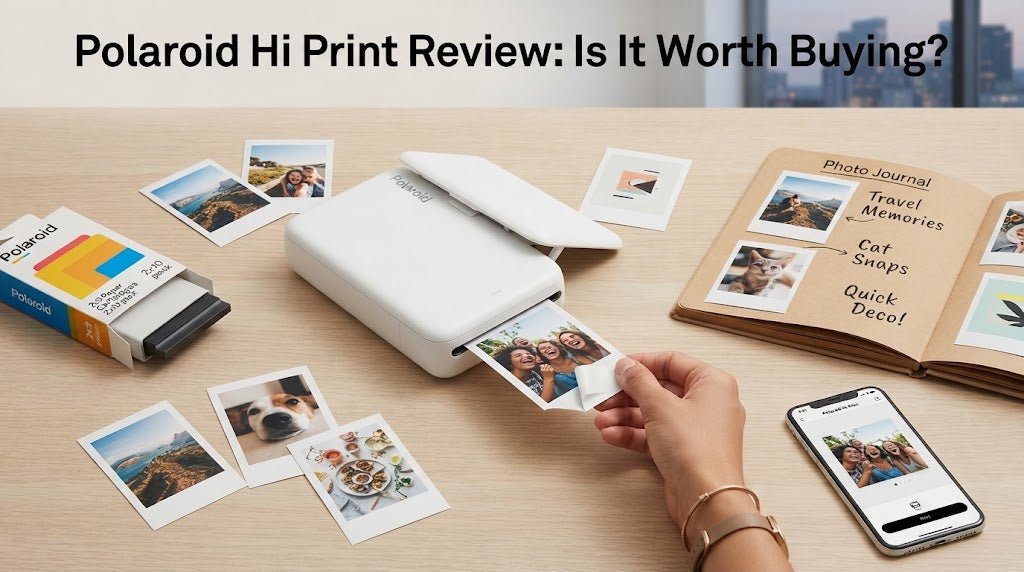
The Polaroid Hi-Print is a Bluetooth photo printer that creates 2.1 x 3.4-inch prints from your phone through the Polaroid Hi-Print app, so the output is slightly larger than standard 2 x 3 prints and gives you a roomier aspect ratio. It does not use traditional instant film. Instead, it uses a self-contained cartridge with photo paper, and the Polaroid Hi-Print cartridges combine color ribbon and paper for convenience, with each cartridge housing the dye ribbon needed for each print. The printing process uses dye sublimation technology, specifically a 4 pass dye diffusion thermal transfer system, and this dye sub method builds the image in layered passes before applying a protective finish that helps make prints water and smudge resistant.
That distinction matters. The finished print is closer to a miniature glossy photo than a classic, unpredictable instant-film image. Colors are punchy, skin tones generally look polished, and the surface has a clean, laminated feel that handles fingerprints better than many small-format prints.
Each print also has a peel-off adhesive back. That turns a good portrait, a concert image, or a spontaneous dinner photo into an easy addition to a notebook, mood board, laptop case, or gift tag. The format feels deliberately social. It is not trying to replace a full-size photo printer, and it should not be judged as one.
Design That Earns a Place in Your Bag
Polaroid has kept the Hi-Print simple. Its small rectangular body, measuring 6.88 x 3.97 x 1.81 inches and weighing 255 grams, is easy to carry in a tote, backpack, or larger jacket pocket, though the cartridge can add a bit of bulk, and it has the kind of restrained design that does not need to be hidden when friends are around. It feels like a creative accessory rather than office equipment, more like a little printer you actually want to bring along than a desk gadget. As a portable printer, it suits casual printing on the go. The rechargeable battery typically lasts around 10 to 20 prints per charge.
The printer is most satisfying in shared settings. Pass a phone around after dinner, choose a few images, and make prints while the memory is still fresh. That is where it has an advantage over ordering prints later. The process gives people a small object to take home, not just another notification. On the right-hand side, the power button sits beside the status LEDs, while the Micro USB port is there for charging only.
There is one practical consideration: the Hi-Print works best when you accept its pace. A print takes time to move through its color passes, so this is not the right device for producing dozens of handouts at an event. For a few deliberate images, the wait feels part of the ritual. For volume printing, it will feel slow.
Polaroid Hi Print Review: Print Quality
Print quality is the reason to choose this model over many pocket printers. Dye-sublimation produces more detail and smoother color transitions than the ZINK technology used in some competing mini printers, and these polaroid prints generally look sharper and more vivid than zink prints. Skies look less blotchy, faces hold together better, and photographs with subtle gradients have a more finished appearance.
The Hi-Print also adds a clear protective coating at the end of the process. That finish gives images a sleek, almost postcard-like character, and the overall photo printing output stays accurate and vibrant. It is especially flattering for portraits, travel photos, bright daylight scenes, graphic illustrations, and well-edited smartphone images. The peel-and-stick back is a nice touch if you want to use prints for crafts or journaling.
There are limits. The 2 x 3-inch format is small, and no mini printer can create the fine detail or tonal range of a larger professional print. Dark photos can lose some shadow information, while heavily compressed screenshots and low-light images will reveal their flaws. Printing speed is not especially fast either: each photo takes about 50 to 80 seconds because the printer lays down multiple layers in sequence. Start with the best file in your camera roll, brighten it lightly if needed, and the Hi-Print will reward the effort.
The app includes basic editing tools, filters, frames, text, stickers, and collage options. The app interface is easy to follow and shows real-time progress while a photo is printing. These are useful without becoming the point of the product. A restrained edit usually delivers the most timeless result. Think date stamp or short caption, not a screen full of digital confetti.
The Cost Question Is Real
The printer itself is accessible compared with larger photo printers, with a {price} that usually falls between $99 and $130, but the refill cost deserves attention. Hi-Print paper comes in {two cartridges}, with paper and ribbon matched for a set number of prints, and replacement packs cost {best prices} about $16.99 for 20 prints, or roughly $1 per print. That running cost is on the {high side} for this category, so the value depends on how much {money} you place on instant polished prints. The per-print cost is noticeably higher than ordering standard photo prints in bulk, and the dye-sublimation process uses ribbon rather than {ink}.
That is not a flaw so much as the economics of a portable, instant creative tool. The right comparison is not a budget photo lab. It is the value of making a small finished object at the exact moment you want it.
If you print every image from a vacation, costs add up quickly. If you choose the six photos that define it, the Hi-Print makes more sense. It encourages editing by instinct: the shot that made everyone laugh, the view you would actually frame, the candid that deserves to leave your screen.
For gifting, the premium can feel especially worthwhile. A few printed photos tucked into a birthday card or added to a travel journal carry more personality than a generic add-on. The printer is also a strong choice for people who already spend on stationery, albums, and creative materials. It belongs in that world, though used cartridges do create non-recyclable plastic waste.
Who Will Love It and Who Should Look Elsewhere
The Hi-Print is a smart fit for urban creatives, casual photographers, journal keepers, and anyone drawn to Polaroid's visual language but interested in sharper, more consistent color than traditional instant film provides. It is also an excellent gift for a person who is difficult to shop for but always documents the people and places around them, especially since its prints are slightly larger than typical Zink output and feel more giftable and display-friendly than a typical pocket photo printer.
It is less convincing for photographers who need large prints, bargain hunters focused entirely on cost per image, or event hosts who need fast, high-volume output. A larger home photo printer will offer more flexibility for albums and framing. An instant camera offers a more spontaneous, less controlled experience. Smaller Zink-based alternatives include hp sprocket and polaroid zip, while canon selphy is a better fit if you care more about speed or larger-format home printing. The Hi-Print sits between those two worlds: edited phone photography with a tactile, immediate finish.